














Open any MacBook released after 2024, and you’re greeted by a seamless block of aluminum, every component carefully sealed behind glass and adhesive. The first page of every repair guide bears that dreaded warning: “This product contains no user-serviceable parts.” But two decades ago, Apple’s laptops told a completely different story—from PowerBooks to iBooks to early MacBook Pros, every design decision seemed to consider the user who might one day need to open the machine and keep it running. Back then, an Apple product wasn’t just a computer; it was a tool designed for years of companionship. Let’s take a deep dive into those ingenious repairability features Apple has abandoned, and examine what we’ve lost in the process.
Keyboards: The Downward Spiral from “Two-Second Removal” to “Full Takedown”
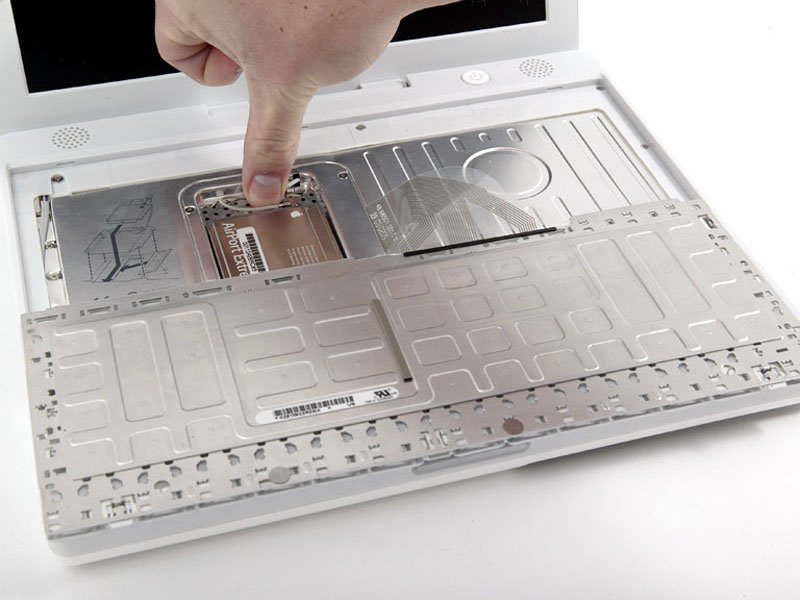
In the era of G3 and G4 iBooks, replacing a keyboard was a masterclass in industrial design. Along the keyboard’s top edge sat a pair of spring-loaded tabs, positioned perfectly—secure enough never to accidentally release, yet effortless to disengage when needed. There was also a 90-degree rotating plastic latch, deliberately designed to be operated with a fingernail, saving you the trouble of finding a screwdriver. Once these were released, the keyboard would tilt up slightly, giving you comfortable access to the ribbon cable beneath. If you needed to go further, four Phillips screws held a metal shield protecting the AirPort Wi-Fi card—remove those, unlatch the connector, and you were done. The entire process took under 30 seconds.
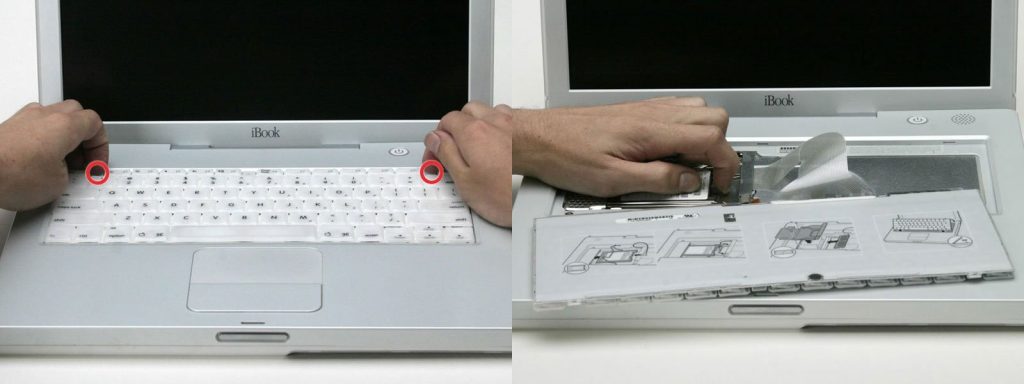
The genius of this design lay in its prioritization: the keyboard, being the most frequently used, most easily damaged, and most spill-prone component, was given the highest serviceability priority. Apple’s engineers understood the fundamental principle that “consumable parts must be easily replaceable,” and they turned this simple component into a gateway to the entire machine’s internals.
Fast forward to today’s MacBook Air, and the situation has reversed entirely. Replacing a keyboard now requires the patience of a surgeon and a collection of specialized tools: first, remove eight proprietary pentalobe screws from the bottom case; carefully disconnect the battery to avoid shorts; then systematically extract the散热 module, the logic board, the speakers—each component layered atop the next like some mechanical puzzle. By the time you finally reach the keyboard buried deep within the chassis, you’ve essentially performed a full teardown. And here’s the cruelest twist: the keyboard itself is now riveted to a milled aluminum plate. When the keyboard fails, you’re forced to replace that expensive aluminum chunk along with it, multiplying repair costs several times over.
This design regression reflects a fundamental shift in Apple’s product philosophy: from designing for long-term ownership to designing for one-time purchase. The component that should be the easiest to replace has become one of the most difficult to service—a irony that speaks volumes about how priorities have changed.
Batteries: From “Carrying Spares” to “Permanently Glued”
On iBooks and early MacBooks, batteries were part of the chassis. Turn a latch with a coin, and the battery detached at an angle. The aluminum PowerBook G4 was even simpler—press two release latches with your thumbs, and the battery slid right out. “Hot-swapping” was once universal,Battery life has improved, but lithium-ion chemistry guarantees degradation—after 500 cycles, capacity often drops below 80%. Facing this inevitability, Apple chose the simplest solution: glue. Some models require screen removal for battery access—working against users and the “Right to Repair” movement.
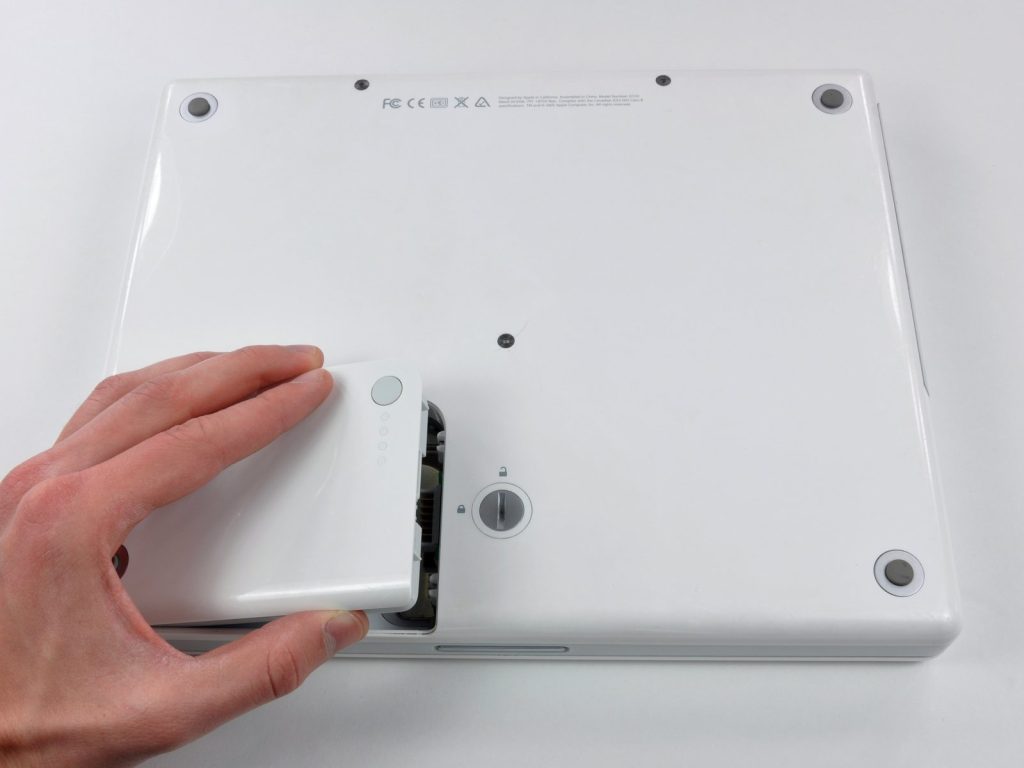
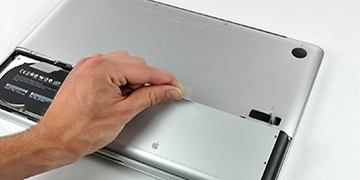
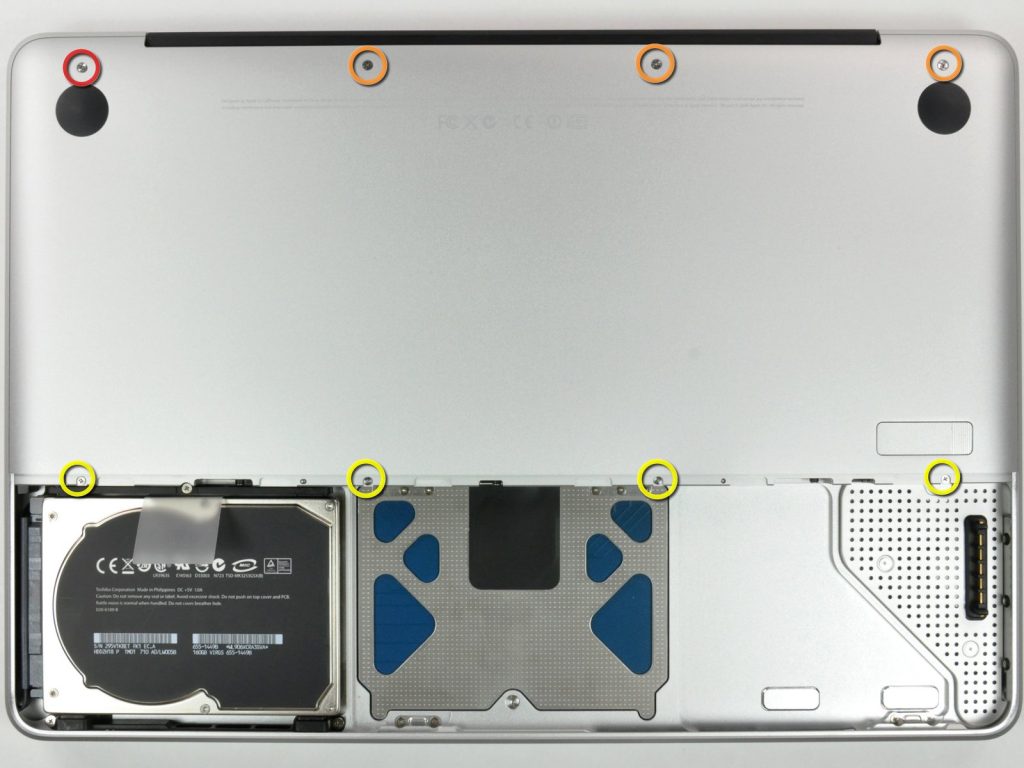
My favorite design: an early 2010s unibody MacBook with a dedicated bottom hatch, secured by a satisfying lever latch. Inside, the battery featured a gray plastic pull-tab. This seemingly simple compartment was actually a gateway to core components.
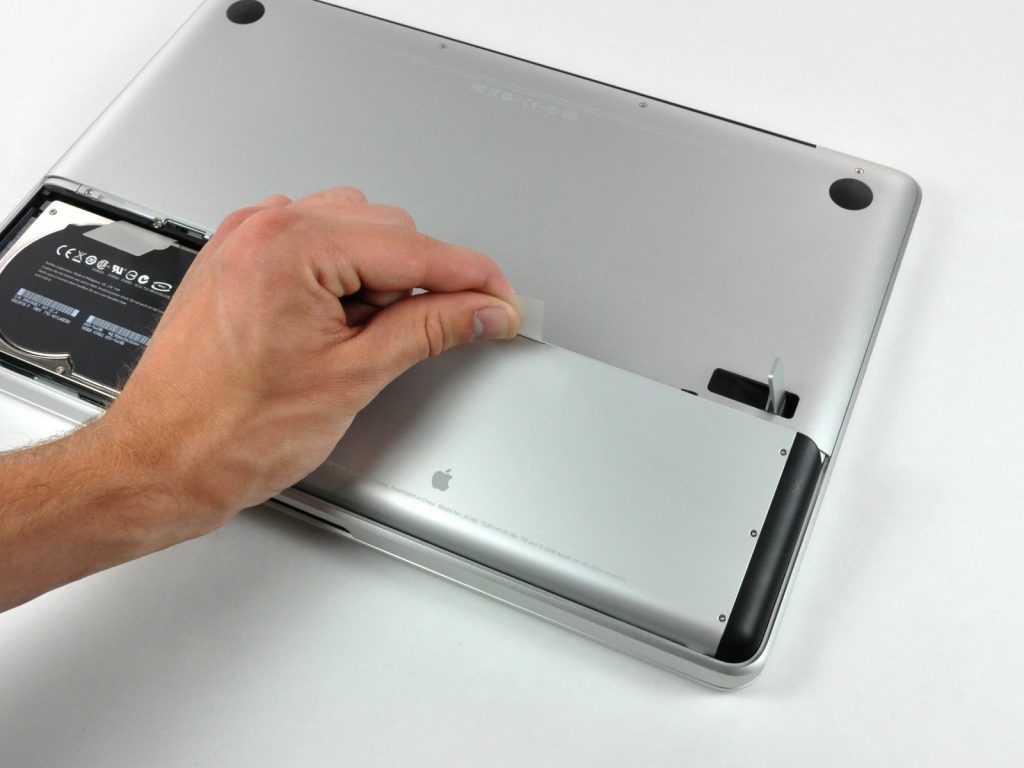
The battery itself has a plastic pull tab for easy removal. But as we’ll see next, opening this access cover reveals a cleverly designed little compartment that also houses the memory and storage devices.
RAM and Storage: Upgrade Freedom Ended by “Unified Memory”
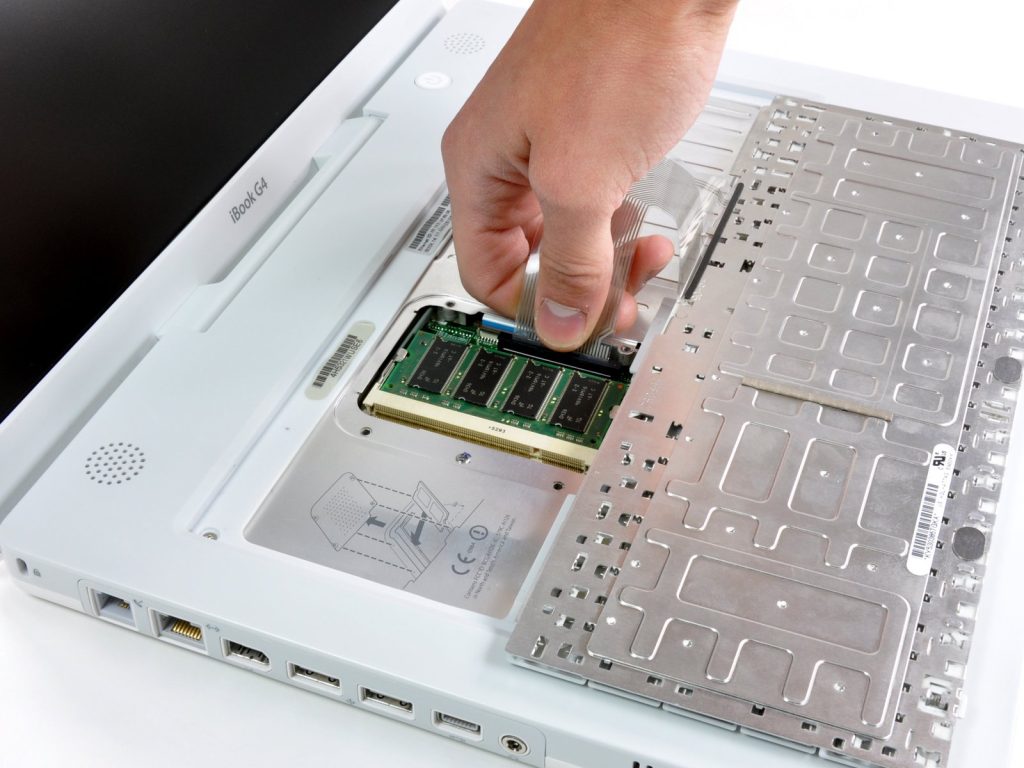
The importance of upgradeable RAM and storage cannot be overstated. In 2006, 512MB RAM and 80GB drives were mainstream; today, 16GB and 1TB SSDs are common. Modularity lets users keep pace—I once upgraded a MacBook Pro from 4GB to 8GB, swapped in an SSD, and watched boot times plummet from over a minute to under 30 seconds,Apple historically placed RAM in two locations: beneath the keyboard (keyboard as “service hatch”), or behind the battery. Remember that unibook MacBook with the hatch? Remove battery, unscrew a few “thumb screws,” take off an L-shaped bracket, and RAM slots awaited. The hard drive had a pull-tab too.
Today’s M-series “Unified Memory” delivers performance and efficiency gains. But Micron’s LPCAMM2 offers modular memory matching soldered speeds and power consumption, preserving upgradeability. Lenovo’s latest ThinkPad is more modular yet 100g lighter. Technical solutions exist—Apple simply chooses not to use them.
Wi-Fi Cards: The Forgotten Modular Era
In 2000, a G3 iBook might lack Wi-Fi. Want to upgrade? Buy an AirPort card, open that easily removable keyboard, and find a slot secured by spring steel wire. Deflect the wire, insert the card—under five minutes, your computer leaped from wired to wireless. Apple was preparing for future standards.
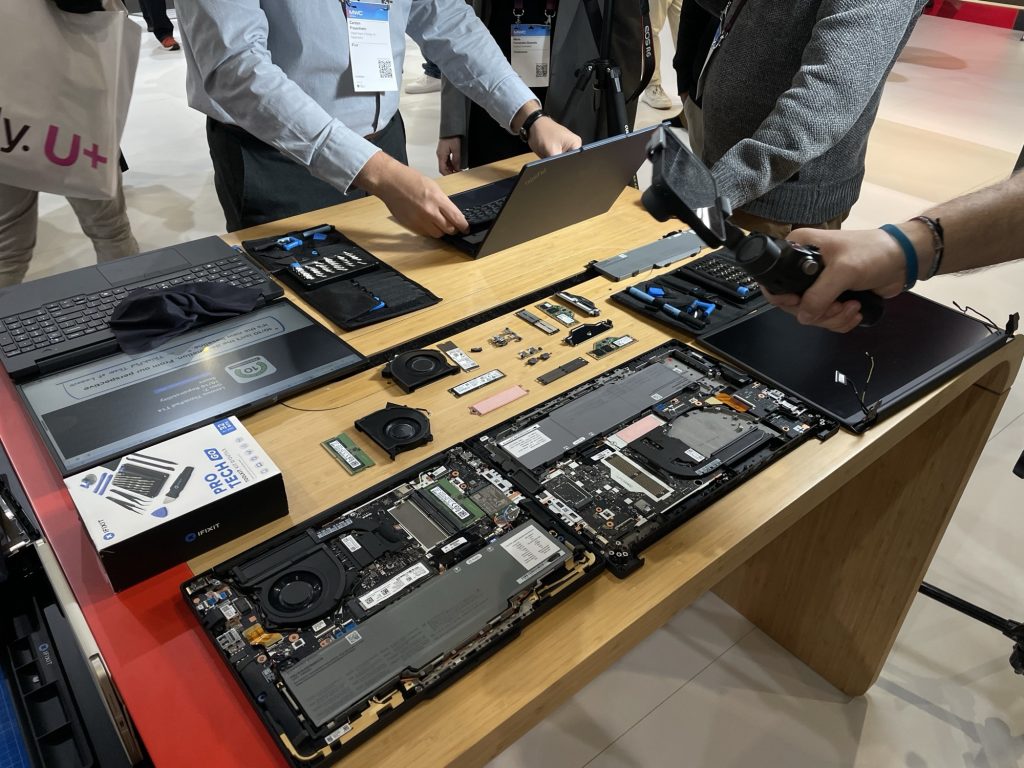
Today, even the famously repairable ThinkPad T14 Gen 7 has a soldered Wi-Fi card. If you keep your computer for a decade as standards evolve from Wi-Fi 5 to Wi-Fi 7, you’re trapped at the version that shipped.
The Greatest Irony
The cruelest irony: Apple laptops could be the most durable. Hardware is reliable, software support industry-leading—a 2015 MacBook still runs latest macOS. My 2012 MacBook Air, upgraded with SSD, maxed RAM, fresh battery, runs Linux like a champ,Today’s MacBooks? Nothing is upgradeable. The battery can be replaced—that’s it. The 2026 MacBook Neo ships with 8GB RAM—usable, but zero room for future expansion, while Apple increases RAM elsewhere for Apple Intelligence.
If Apple applied even a fraction of the energy spent nudging OS upgrades to repairability, they could make it fun and desirable—like those spring tabs, battery pull-tabs, thumb screws. And the industry would follow. Sadly, for now, it remains a beautiful dream.
Insurepart-Your Premier Source for MacBook Accessories in Shenzhen
We are a leading manufacturer and wholesaler based in Shenzhen, China, dedicated to providing top-quality MacBook parts at factory-direct prices.
Why partner with us?
Premium Quality: We offer a comprehensive range of accessories, from screens and keyboards to batteries, ensuring durability and performance.
Factory Direct: As a source factory, we eliminate middlemen to give you the most competitive wholesale pricing.
Diverse Options: Whether you need high-end components for premium repairs or cost-effective solutions for high-volume orders, we have the right products for you.
One-Stop Shop: Get all the MacBook repair parts you need from a single, trusted supplier.
Ready to elevate your inventory? Contact us today to discuss your wholesale needs.
WhatsApp/WeChat: +86 13006864486